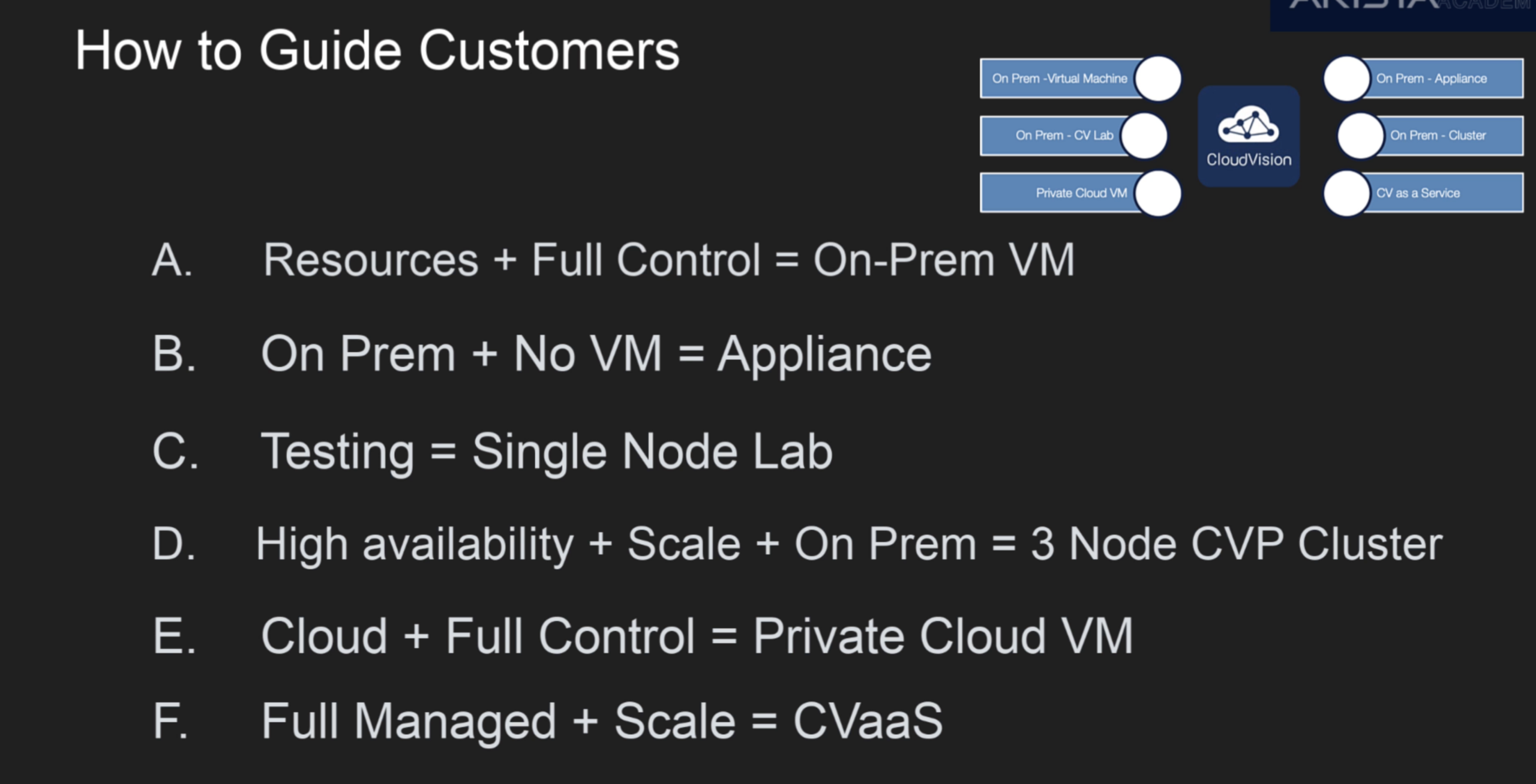
3 node cluster for prod+HA. Based on k8s as well (same as Nexus Dashboard)
backup/restore
- done in ssh with root account
- automatic backup by default takes place daily at 2am UCT. controlled by cronjob. Retention is 5 backups. Can be changed by cmd crontab -e, then update the file there.
- manual backup can be order with cmd: cvpi backup cvp
- backup location is /data/cvpbackup
- backup takes two files, provisioning data tar and imagefile tar. imagefile tar only takes new backup if there’s a change in the images from the last backup.
Upgrade:
follow the release note for the pre-checklist, including health check (cpvi status all), upgrade path, etc.
Make sure the disk space is enough with df -h and look for root /. If the space is not enough, manually remove the files or use script cvp-space-recovery cleanup.py, which needs to be manually git cloned then scp to the cvp server. This should be done a all 3 nodes not just the primary node.
steps listed in the CloudVision help center
upgrade only operated on the primary node via ssh with root account.
Download the new CVP tar image manually then scp to the CVP server /data/upgrade
su cvpadmin to actually execute the upgrade process with [u]upgrade option
cvpi version cmd to check version
Provision
Connect device to CVP:
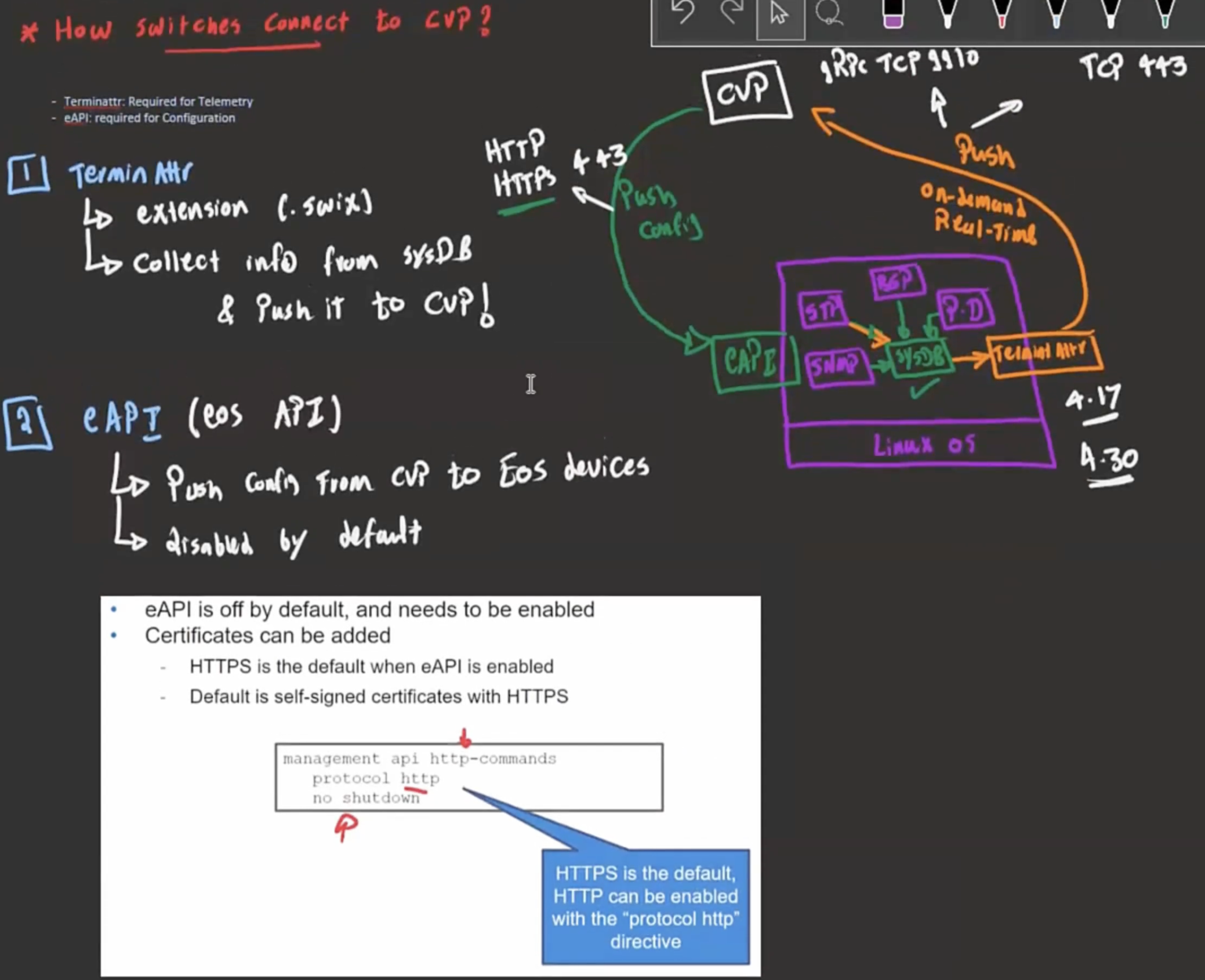
- onboarding device
- manually register device to CVP –suitable for brownfield deployment, not scalable.
- console to the device
- activate eAPI (cmd above)
- Configure the terminAttr on the device usr/bin/TerminAttr, to provide the IP of the CVP (e.g. 192.168.0.5:9910)
- Configure the mgmt IP of the switch and default route to reach the CVP
- Device will report itself to the CVP, which will put the device in the “undefined” container, under Tenant container, under provisioning menu.
- ZTP
- manually register device to CVP –suitable for brownfield deployment, not scalable.
- Create containers (in addition to the undefined) to group devices by functions, locations, etc, to enable applying the same configuration to the same group of devices. And move the new device to the pertinent container. Moving device from one container to another might cause non-compliance notice because the two containers don’t have the same configuration. But the device configuration won’t be erased.
- Build config for the device –can be applied to a device, or to a container of devices
- static configlet (CLI ) on CVP
- CVP can check the syntax via Validate (blue check button) against a device (CVP ssh to the device, enter the cmd to be verified, then abort the config so it’s not applied to the device).
- Can be exported as zip file for backup purpose and imported (if imported policy has the same name, it won’t overwrite the old one, but keep both by changing the imported name).
- Cannot be deleted if it’s associated with any device
- If conflicting policies(e.g. one adding vlan 10, one deleting vlan 10) are applied to container level and device level, then the most specific policy wins (the one applied to the device level)
- If conflicting policies are applied to same device level, then the newer policy wins
- Python configlet (python) on CVP
- Studios (GUI) on CVP– similar to NDFC
- static configlet (CLI ) on CVP
- Designed conf — CVP config to be eAPI-pushed to the device. Running config — the one being run on the device. Designed should == Running (i.e. in sync) if soneone manually change the Running–> TerminAttr reports this to CVP –> CVP raise alert (out-of-sync), and give the option to erase the modifed config.
- Configlets
Leave a Reply