If you get a message like this when you unset and set your app pool, this is your lucky day:

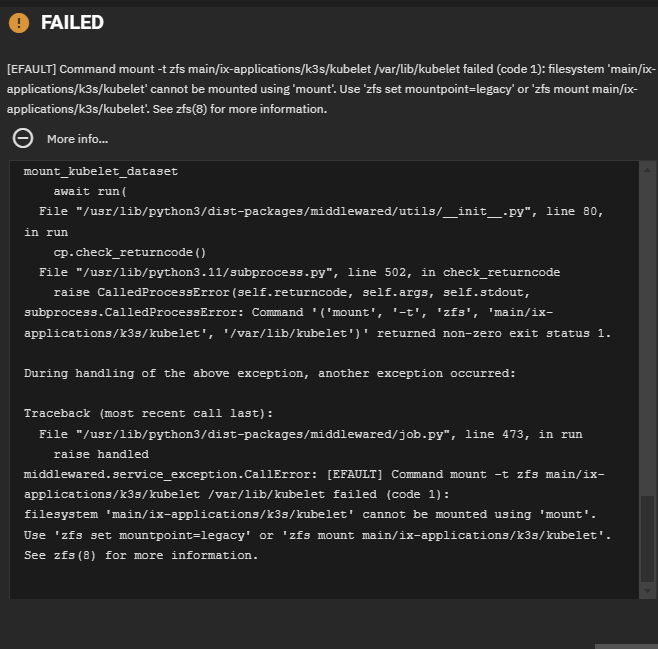
Symptom: You get “Apps Service Stopped” message and all your apps have disappeared. You try to unset the pool and set the pool for the apps and same problem. If you mouse over the error message, it shows something like: “Application(s) have failed to start: Command ‘(‘mount’, ‘-t’, ‘zfs’, ‘main/ix-applications/k3s/kubelet’, ‘/var/lib/kubelet’)’ returned non-zero exit status”
Cause: is that for some weird reason the mountpoint property for /ix-applications/k3s/kubelet was set to something other than legacy. So a command to mount kubelet on /var/lib/kubelet will fail. Could be you changed your ethernet port for example.
Code fix
The fix in the code is simply to set the mountpoint property to legacy before calling the mount. So it’s a one line code fix to a problem that has been affecting people for at least two years now (for example see this post 6). I reported this and the workaround fix in Bug NAS-128555 10
Workaround in meantime
In the meantime, here’s the fast and easy fix for users that survives reboot:
- CLI:
sudo zfs set mountpoint=legacy main/ix-applications/k3s/kubelet - GUI: Unset pool. Then set it back to your normal pool for apps.
- You will see “App service starting” instead of the error.
- Then you will wait and see NO apps! But that is a head fake.
- Refresh the web page and you will see all your apps are back!
Save your config now that it works
Leave a Reply